
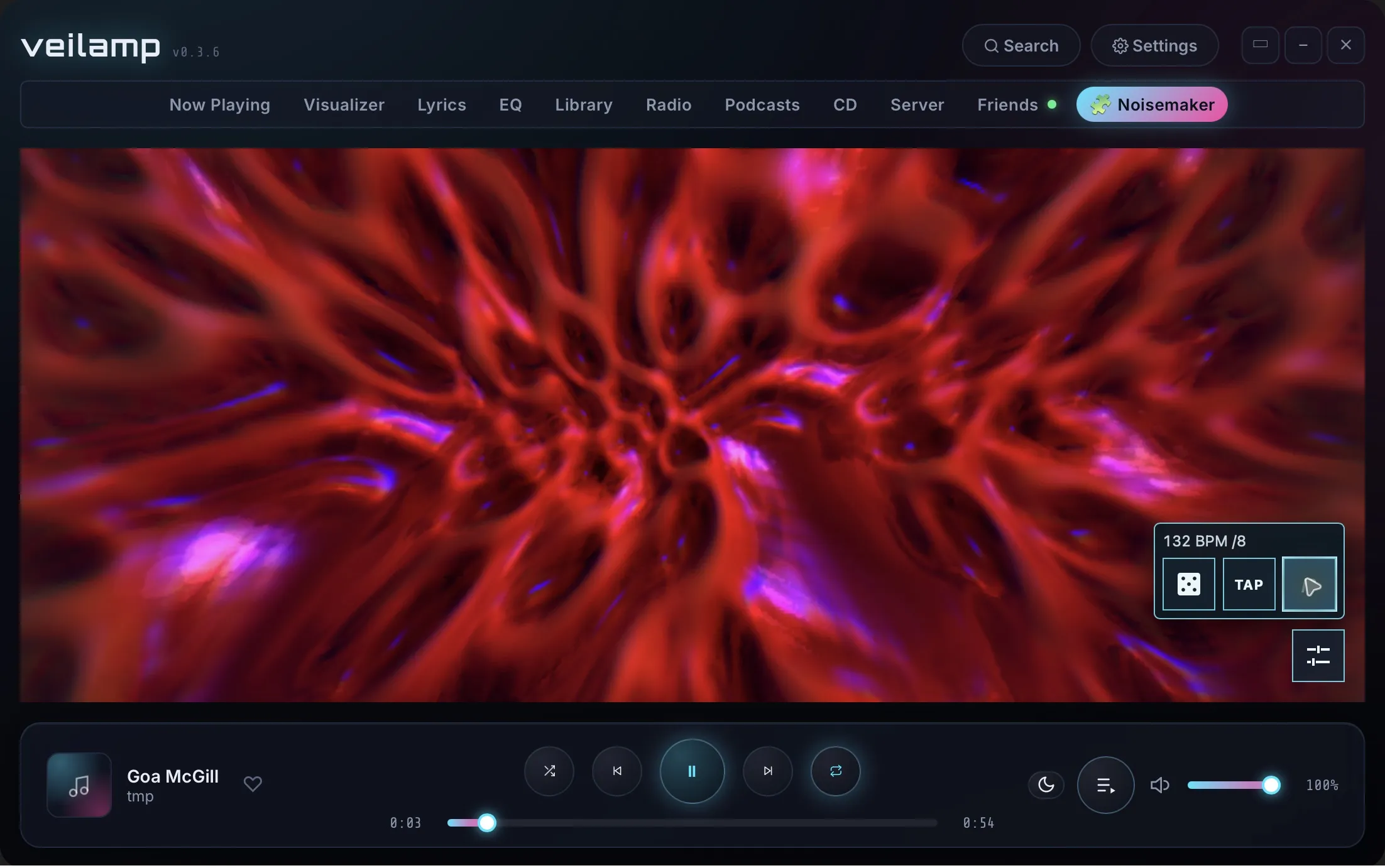
Noisemaker renders programs from Noisemaker Curated with the Noisemaker shader engine.
The effects respond to Veilamp’s spectrum and waveform samples through Noisemaker audio() inputs.
Controls
- Dice selects another program and randomizes its audio inputs.
- TAP sets the tempo from repeated taps.
- Divider cycles through /1, /2, /4, /8, and /16.
- Info shows or hides the composition name, author, and code. It is off by default.
The tempo starts at 140 BPM. The divider starts at /4. The controls use a collapsible tray. When Info is on, the composition information fades after a short delay.
Install
- Download the repository from the link above.
- Extract the downloaded files.
- Install Node.js 22 or later, with npm.
- Open a terminal in the repository folder.
- Run
npm cito install the dependencies. - Run
npm run buildto create the plugin. - Check that the build succeeds.
- In Veilamp, select Settings > Plugins > Import folder.
- Select the generated
dist/pluginfolder. - Enable the plugin.
- Grant its requested permissions.
- Open the Noisemaker tab.
- Play audio in Veilamp.
The source plugin/ folder does not contain the bundled engine, shaders, or programs.
Import dist/plugin after each new build to update the installed plugin.
Permissions
visualizersupplies spectrum and waveform samples.playersupplies playback state for pause and track changes.panelshows the visualizer and its controls.
Network and privacy
The installed plugin makes no network requests. It contains the Noisemaker engine, required shaders, and curated programs. The plugin document blocks network connections. Randomization and audio processing run locally.
The build requires internet access:
npm cidownloads build and test dependencies from the npm registry.npm run builddownloads the current Noisemaker 1.x engine and required shaders fromshaders.noisedeck.app.npm run builddownloads the current Noisemaker Curated collection from GitHub.
The build includes these sources in the generated dist/plugin folder.
The installed plugin does not download programs or shaders when it starts or selects another program.
The build script does not send Veilamp audio samples, track titles, artist names, library files, or account identifiers. The receiving services may see connection metadata, such as the client’s IP address and user agent.
The plugin uses audio samples locally to set Noisemaker audio() inputs.
It uses playback identifiers and radio or CD metadata locally to detect track changes.
The plugin does not store logs. If a program fails, it calls Veilamp’s plugin logging API with the public program code and error. If startup fails, it logs the error. On Noise Factor’s side, we keep basic server logs no longer than 7 days, to aid with troubleshooting.