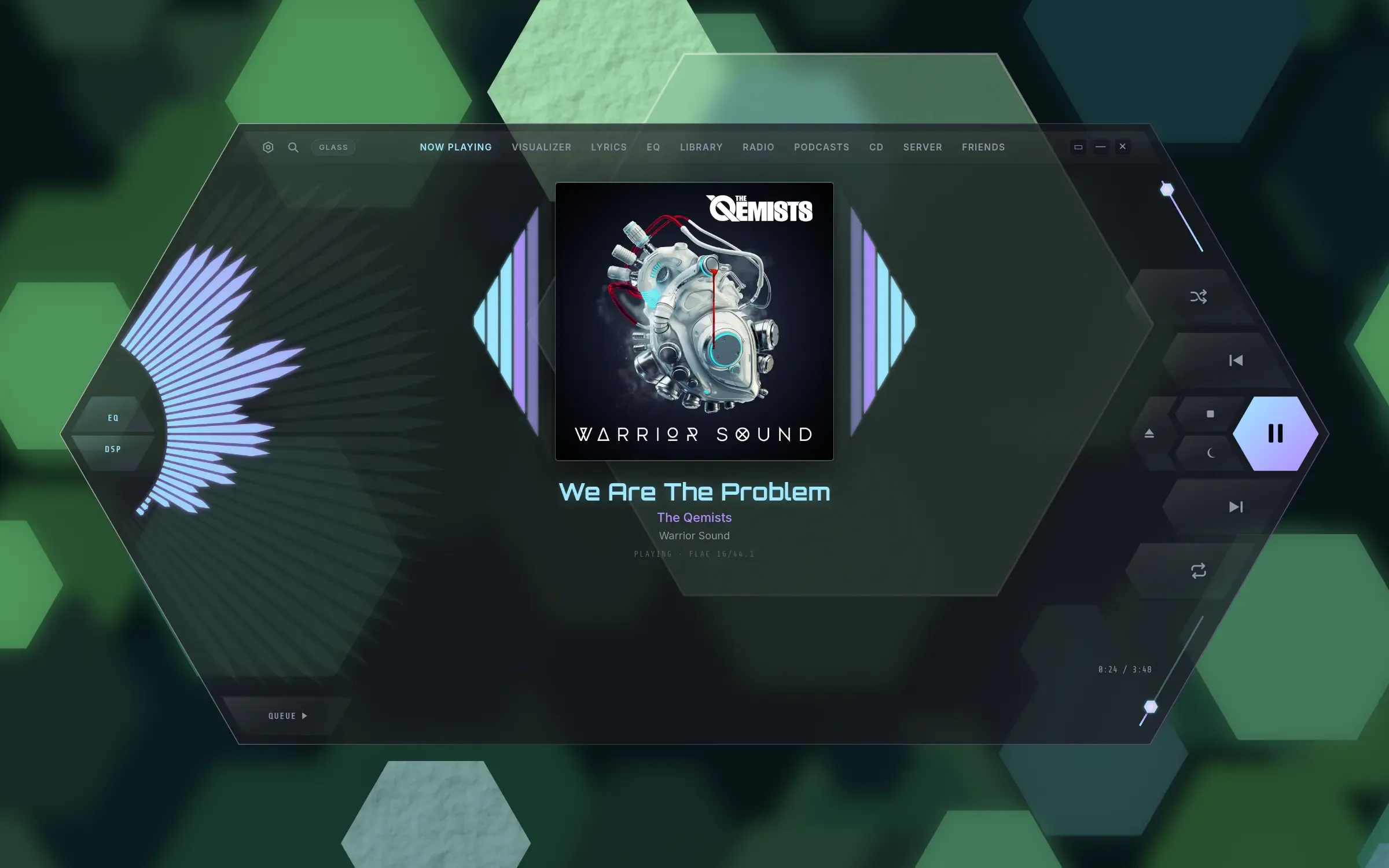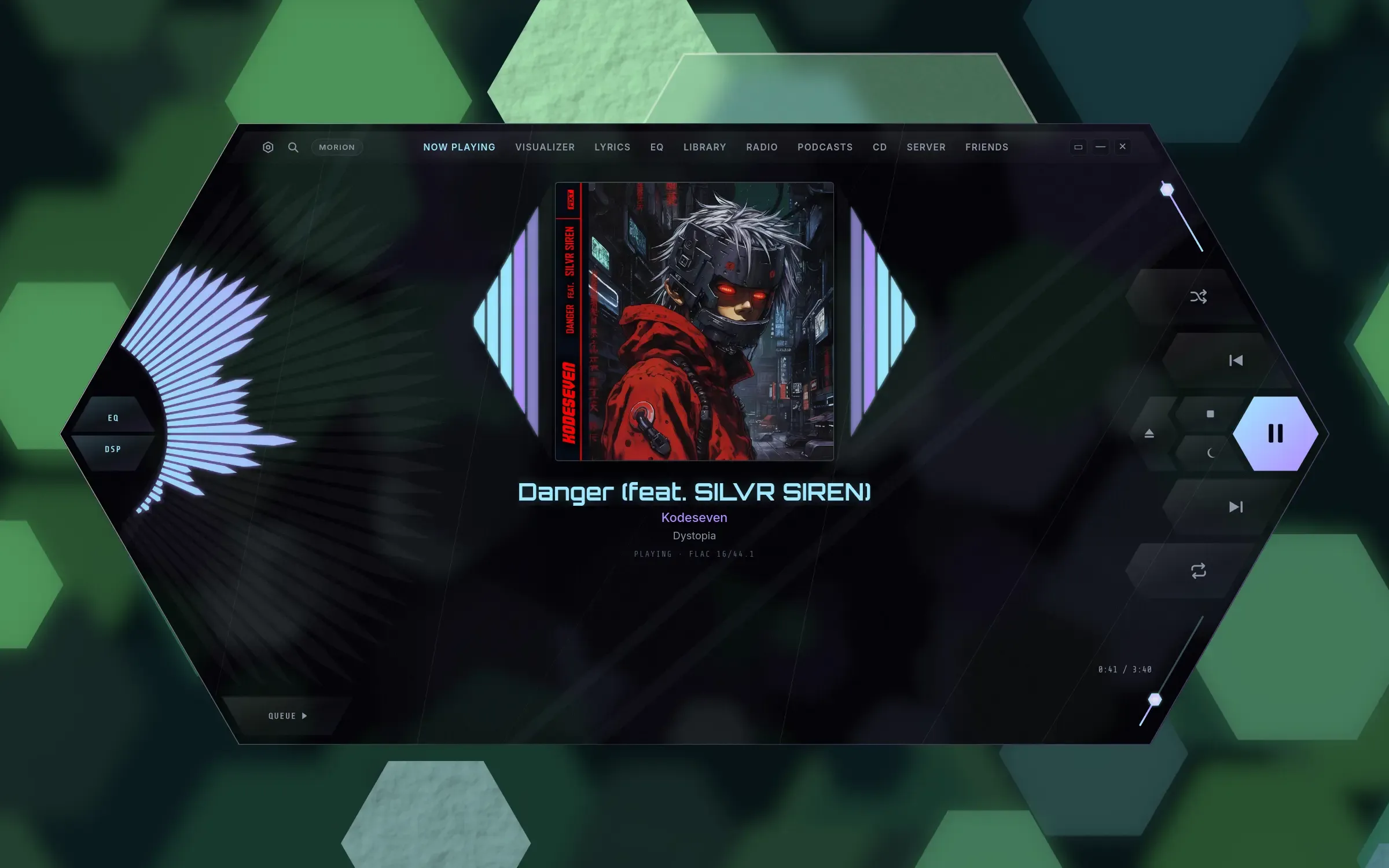
Data Crystal turns the whole window into a hexagon of smoky glass, pointed left and right, with a thin rim of light around its edge.
- Right point: play/pause is a hexagon, with previous, shuffle, next and repeat as pentagons that follow the window’s slope. Stop, sleep and eject tuck in beside it.
- Right edges: volume and seek run along the window’s edges.
- Left point: EQ and DSP, with a fan of 32 spectrum shards bursting around them.
- Centre: the album art between VU “wings” that turn the square into a hexagon. Library, Radio and the other screens open here, inside the window; eject lights up to close them.
- Queue: the QUEUE button opens the play queue as a shelf of spines, each leaning like the seek bar.
- Listen party: the party room opens inside the hexagon too.
Variants
Click the variant pill in the top strip to cycle:
- Morion: a rendered field of dark crystal faces.
- Glass: truly translucent (needs a compositor), as below.
- Emerald: rows of emerald crystals hanging and rising, a few with glowing script hidden inside.
- Citrine: an irregular comb of dark wax with citrine stones, phantoms and all.
- Amethyst: a corridor of Black ICE, its lattice walls carrying Veilamp’s own analyzer code.
Each gemstone brings its own palette, and has a Solid version for desktops without a compositor.
The shard fan and VU wings come from the Morion Meter plugin. Without it the layout still works; the fan and wings just don’t appear.
Install
- Download
data-crystal.zipfrom the latest release. - Import it from Settings -> Appearance -> Skin packages -> Import .zip.
- Pick Data Crystal under Skins -> Layout.
- For the fan and wings, install Morion Meter too.